Skip to content
TradeCircle TradeCircle

Step-by-step guide

Trade your Coin Master cards with TradeCircle, step by step

From your album to a finished trade: every step is explained with an app screenshot. About 5 minutes the first time — plus Help and Teams when you need them.

  1. 1 Step 1

    Add your cards

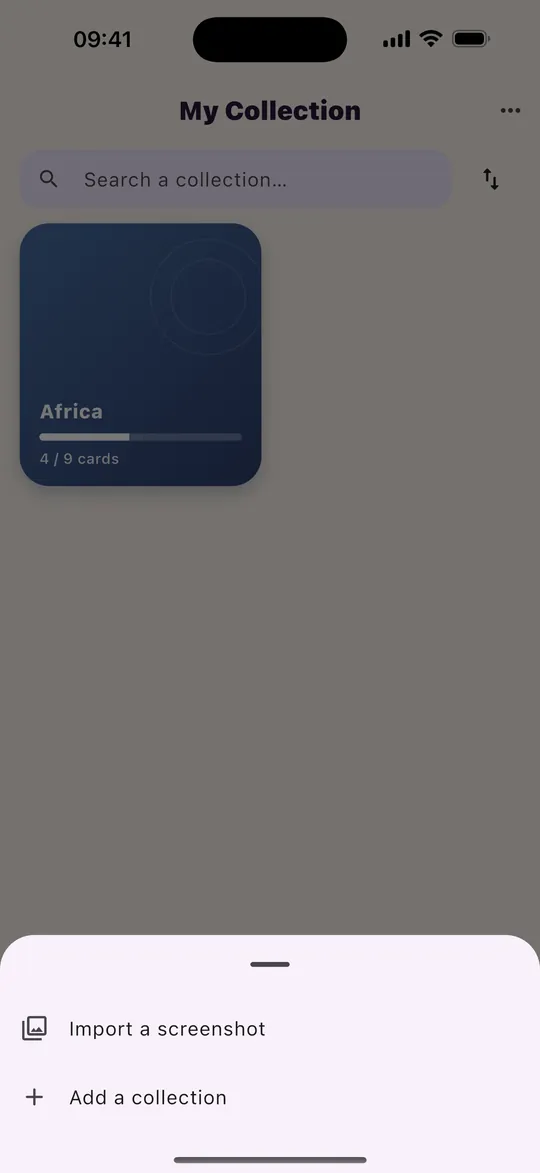
    In the Collection tab, tap “Import a screenshot” above the album, or swipe through sets and mark each card. Your first mark on a set starts tracking it.

    One screenshot per set is enough. Recognition runs on your phone: the image is not uploaded to our servers.
    App screenshot: Add your cards
  2. 2 Step 2

    Check what was read

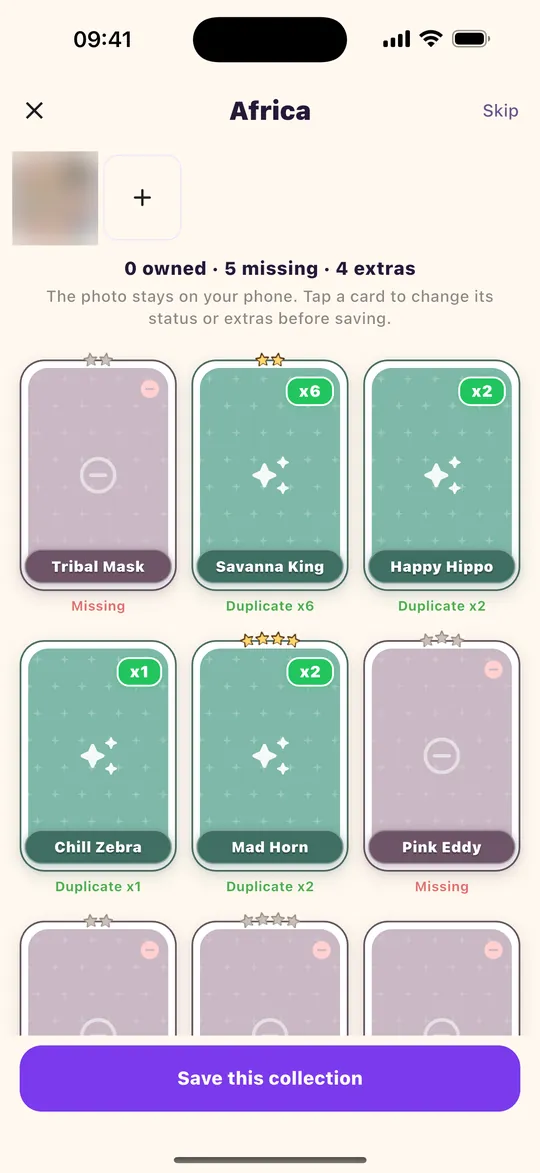
    TradeCircle recognises the set and sorts every card: missing, owned or duplicate, with the quantity. Tap a card to correct its status, then “Save this collection”.

    Cards you mark as duplicates are the ones you can offer. Cards marked missing are the ones you are looking for.

    App screenshot: Check what was read
  3. 3 Step 3

    Pick the collections to complete

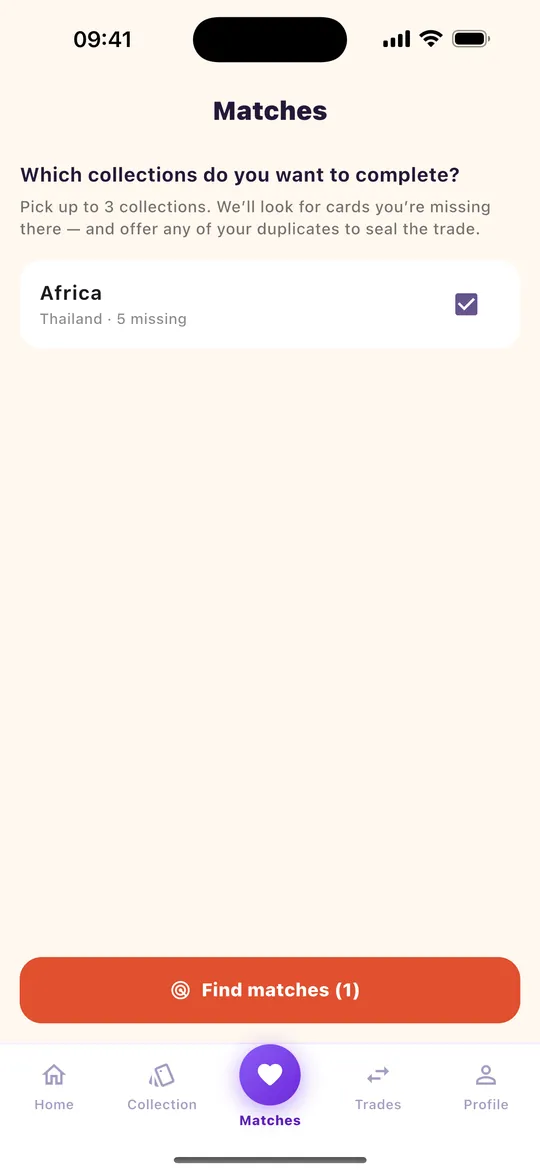
    Open the Matches tab. “Which collections do you want to complete?”: tick up to 3 collections, then tap “Find matches”.

    You can change this choice at any time with “Change collections”.

    App screenshot: Pick the collections to complete
  4. 4 Step 4

    See your matches

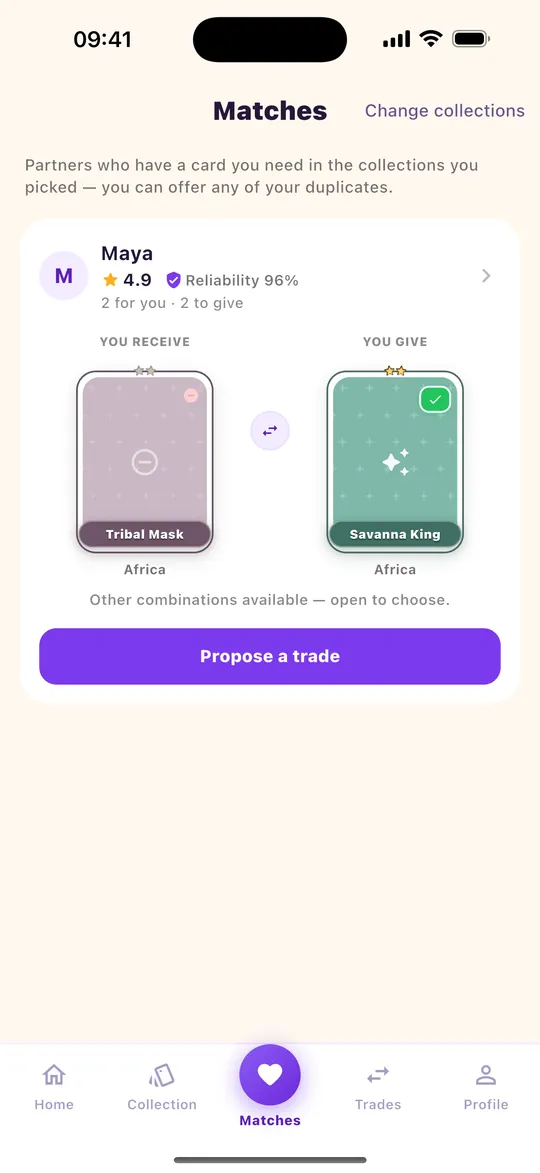
    Each match is a player who has a card you miss and wants one of your duplicates. You see their rating, their reliability, and for each card the set it comes from.

    No match? Try other sets, come back later — or use Help to ask players who have your missing card as a duplicate.

    App screenshot: See your matches
  5. 5 Step 5

    Propose a trade

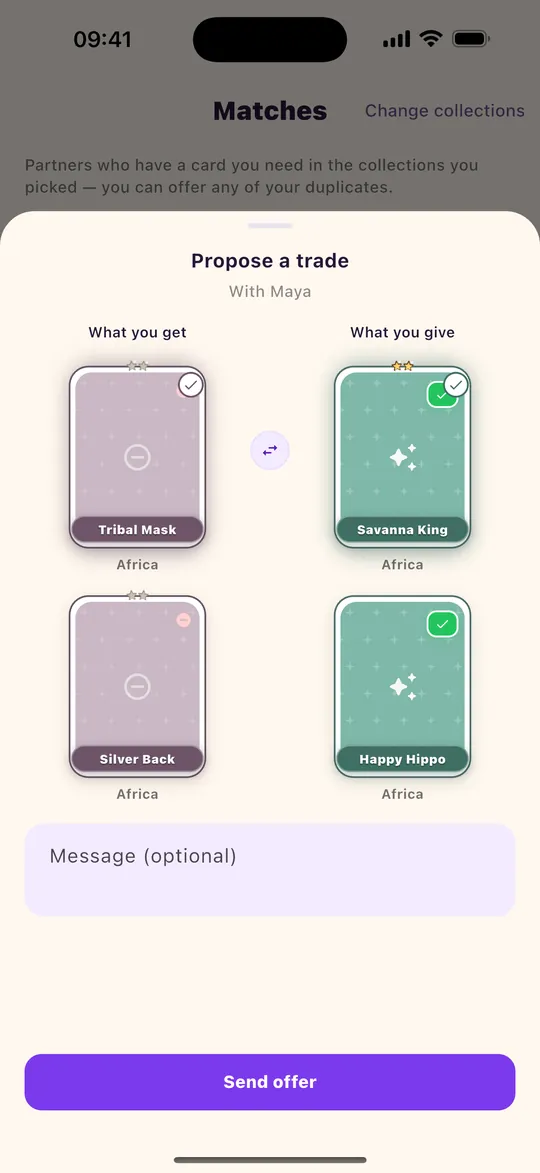
    Tap “Propose a trade”, choose what you get and what you give, add a message if you like, then “Send offer”. If you have not entered your Coin Master friend link yet, the app asks for it at that point.

    Your friend link is shared with the other player so you can add each other in the game. Never give your Coin Master password.

    App screenshot: Propose a trade
  6. 6 Step 6

    Follow your offer

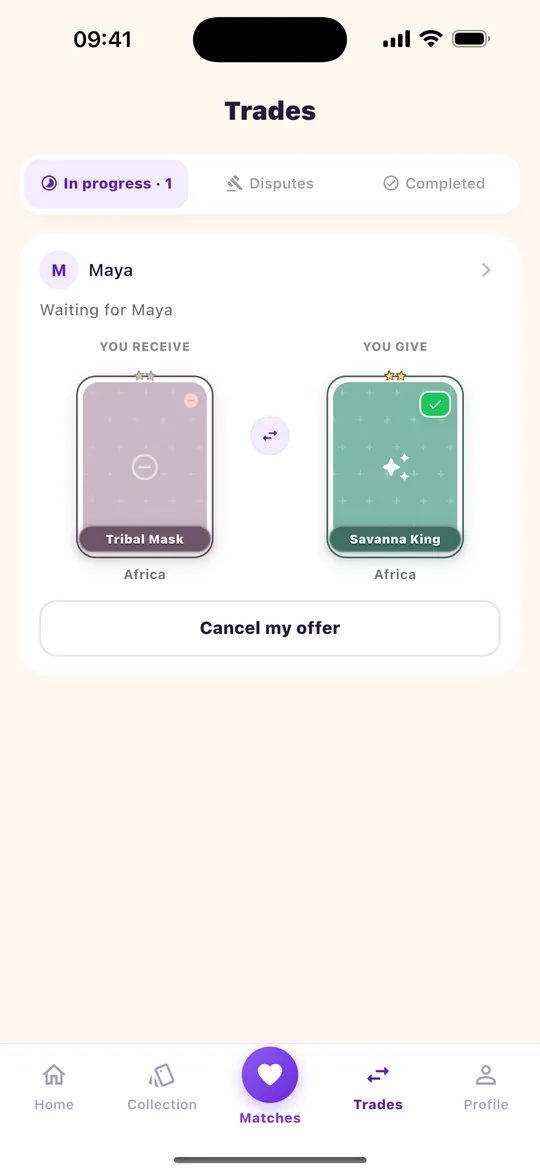
    In the Trades tab, your offer shows as “Waiting for” the player. You can cancel it until it is accepted. You are notified as soon as they answer.

    App screenshot: Follow your offer
  7. 7 Step 7

    Trade in Coin Master

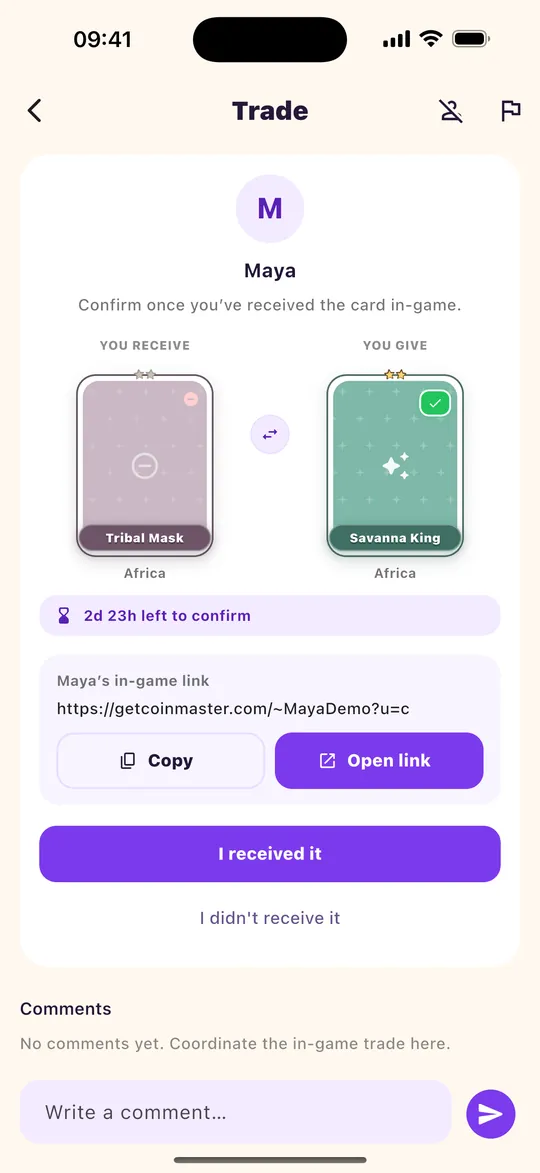
    Once the offer is accepted, open the trade: you will find the other player’s friend link. Tap “Copy” or “Open link”, add each other in the game, then send the cards in Coin Master. You can write to each other in the comments.

    Cards are exchanged in the game, not in TradeCircle.

    App screenshot: Trade in Coin Master
  8. 8 Step 8

    Confirm receipt

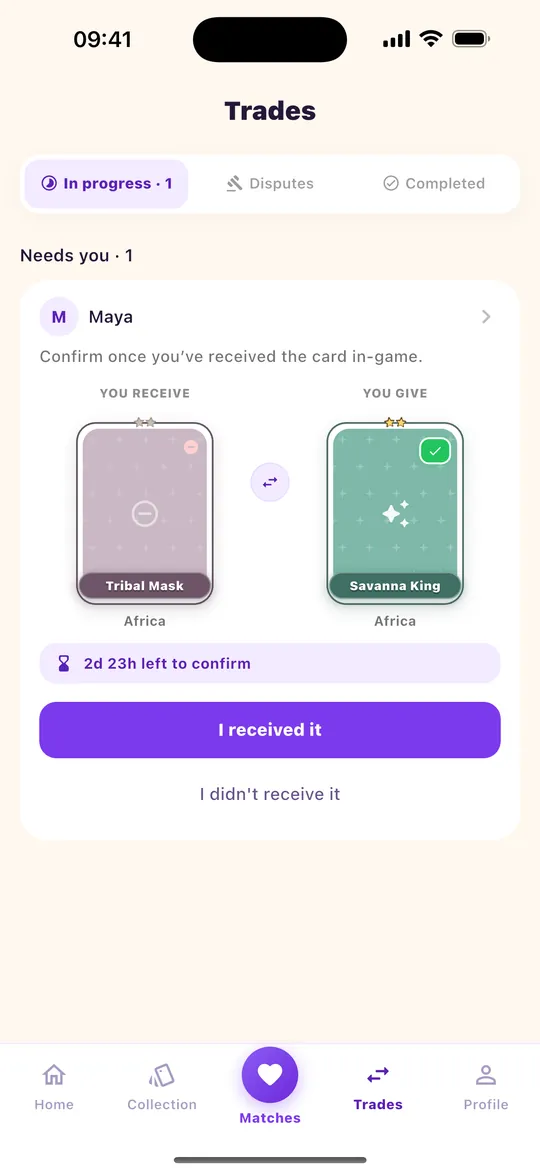
    As soon as you have received your card in the game, tap “I received it”. The other player does the same. You have 72 hours: after that, or if the card never arrives (“I didn’t receive it”), our team reviews the trade.

    After a confirmed trade you can rate the other player. Their rating and reliability will help the next players.

    App screenshot: Confirm receipt

Also in the app

Help and Teams, when a match is not enough.

TradeCircle is not only reciprocal trading. You can also ask for a card without a counter-offer, and find or recruit a Coin Master team.

Help

Ask for a missing card

From a missing card, choose Help to contact players who own it as a duplicate. They can accept without needing something from you. Gold cards stay on reciprocal matches.

Teams

Find or recruit a clan

Browse open listings (slots, stars, language) or publish yours. Joining still happens in Coin Master with the exact team name.

Good to know

Trade with confidence

Check the player

Before proposing, look at their rating and reliability rate. A new player shows “not proven yet”.

Never your password

TradeCircle only asks for your friend link. Nobody, including our team, needs your Coin Master password.

A problem?

Report or block a player from the trade screen. Disputes are reviewed by our team.

Limits against abuse

Until your email is verified, the number of trades is limited. Verifying your email lifts the limit.

Ready to complete your sets?

Download TradeCircle, import your album, discover matches — and use Help or Teams when you need them.